!░░│¡░░░░░░░░░░░░░░░░░░░░░░░░░░░░░░▒╠
!░!)φ▒▒▒▒▒▒▒▒▒▒▒▒▒▒▒▒▒▒▒▒▒▒▒▒▒▒╠╠░░▒╠
]░░╟╣▓▓▓▓▓▓▓▓▓▓▓▓▓▓▓▓▓▓▓▓▓▓▓▓▓██▒]░▒╠
]░░╟╣▓╬╬╬╬╬╬╬╬╬╬╬╬╬╬╬╬╬╣▓▓▓▓▓▓▓█▒]▒▒╡
]░░╟╣▓╬╬╬╬╬╬╬╬╬╬╬╬╬╬╣╣╣▓▓▓▓▓▓▓▓▓▒▐▒▒╡
]░░╟╣▓╬╬╬╬╬╬╬╬╬╬╬╬╬╣╣▓▓▓▓▓▓▓▓▓▓█▒▐▒▒╡
]░░╟╣▓╣╬╬╬╬╬╣╬╣╣╣╣╣▓▓▓▓▓▓▓▓▓▓▓██▒▐▒╠╡
[░░╟╣▓▓▓╣╣╣╣╣▓╣▓▓▓▓▓▓▓▓▓▓▓▓▓▓███▒▐▒╠╡
[░░╟╣▓▓▓▓▓▓▓▓▓▓▓▓▓▓▓▓▓▓▓▓▓▓▓████▒▐▒╠╡
]░░╟╣█▓▓▓▓▓▓▓▓▓▓▓▓▓▓▓▓▓▓▓▓▓█████▒▐▒╠╡
[░░╟╣█▓▓▓▓▓▓▓▓▓▓▓▓▓▓▓▓▓▓████████⌐▐╠╠╡
[░░╚╙└└└└└└└╙╙╙╙╙╙╙╙╙╙╙╙╙╙╙╙╙╙╙╙ ▐╠╠╡
[░░░░▒▒▒▒▒▒▒▒▒▒▒▒▒▒▒▒▒▒▒▒▒▒▒▒▒▒▒▒╠▒▒╡
[░░░░░░░░░░░░░░░░░░░░░░░░▒▒▒░▒▒▒▒▒▒▒╡
[░░░░░░░░░░░░░░░░░░░░░░▒▒▒▒▒▒▒▒▒▒▒▒╠╡
Γ░░ΓΓΓΓ░╚╚╚░╚╚╚╚╚╚▀▀▀▀▀▀▀▀▀▀▀▀▀▀╬╠╠╠Γ
[░░░░░░░░░░░░░░░░░░░░░░░▒▒▒▒▒▒▒▒▒▒╠╠╡
φ░░░░░░░░░░░░░░░░░░░░░▒▒▒▒▒▒▒▒▒▒╠╠╠╠╡
▐░░░░░░░░░░░░░░░░░░░▒▒▒▒▒▒▒▒▒▒▒▒▒╠╠╠Γ
]╠╬╬╬╬╬╬╬╬╬╬╬╬╬╬╬╬╬╬╬╬╬╬╬╬╬╬╬╬╬╬╬╬╬╬⌐
_____]╚╠╣╣╣╣╣▓▓▓▓▓▓▓▓▓▓▓▓▓▓▓▓▓▓▓▓▓▓▓▓▓▓▓▓⌐____
_ⁿƒⁿ╙]M░ƒ∩░%∩░╔∩░╔∩⌐≤░░╦ƒ░MƒƒM5²MδƒMΘφM░j∩>⌐%^^(φƒ╕░ƒ╕░ƒp░░Q░
.7DDφ≥▒5≥▒φ≥▒δUΓφ7Γê≤Üê5Üφ5Üδ≤Üê5▒φ╠▒φ╠⌂Då░5╠░_▐"S║"S║"▒║""Å░"ⁿⁿ-.,
. ≈╚╚╚╚δ╚╚δδδ╚╚╚╚╚╚╚╚╚╚╚╚╚╚╚╚╚╚╚╚╚╚W╚╚⌐╚╚W╚╚⌐╚╚Ü.-W╚╚╚╚╚ë╚╚ë╚╚Θ░ __`-
=Q░░░░░░░░░░░░░░░░░░░░░░▒▒░▒▒▒▒▒▒▒▒▒▒▒▒▒▒▒▒▒▒▒▒▒▒▒▒▒▒▒▒▒▒▒▒▒╝
RSRY
My latest project is live at rsry.app.
The idea came out of experimenting with Apple's speech recognition API for my cricket scoring app. I thought it would be cool to use the same speech recognition to track Rosary progress in real time without requiring any tapping or swiping.
Why Use an App?
Sure, this is a solved problem and has been for some time. We have beads for this. But as an automobile-American, I spend a lot of time in cars and often pray while driving.
I could listen to Rosary audio with mystery meditations, but I prefer having the phone follow my prayer rather than the other way around. If I slow down, speed up, or stop for a moment, no big deal. I don't have to faff with pausing, unpausing, or scrubbing through an audio player. If I reach my destination before finishing, or get interrupted by a phone call or a crying child, it's easy to come back to exactly where I left off. Progress also syncs across devices, so I can pick it back up on another device later.
The iOS app also has widgets, Live Activities, and CarPlay support. They all serve the same basic purpose: keeping the current prayer and my progress easy to see without making me poke around the app, especially when I'm in the car.
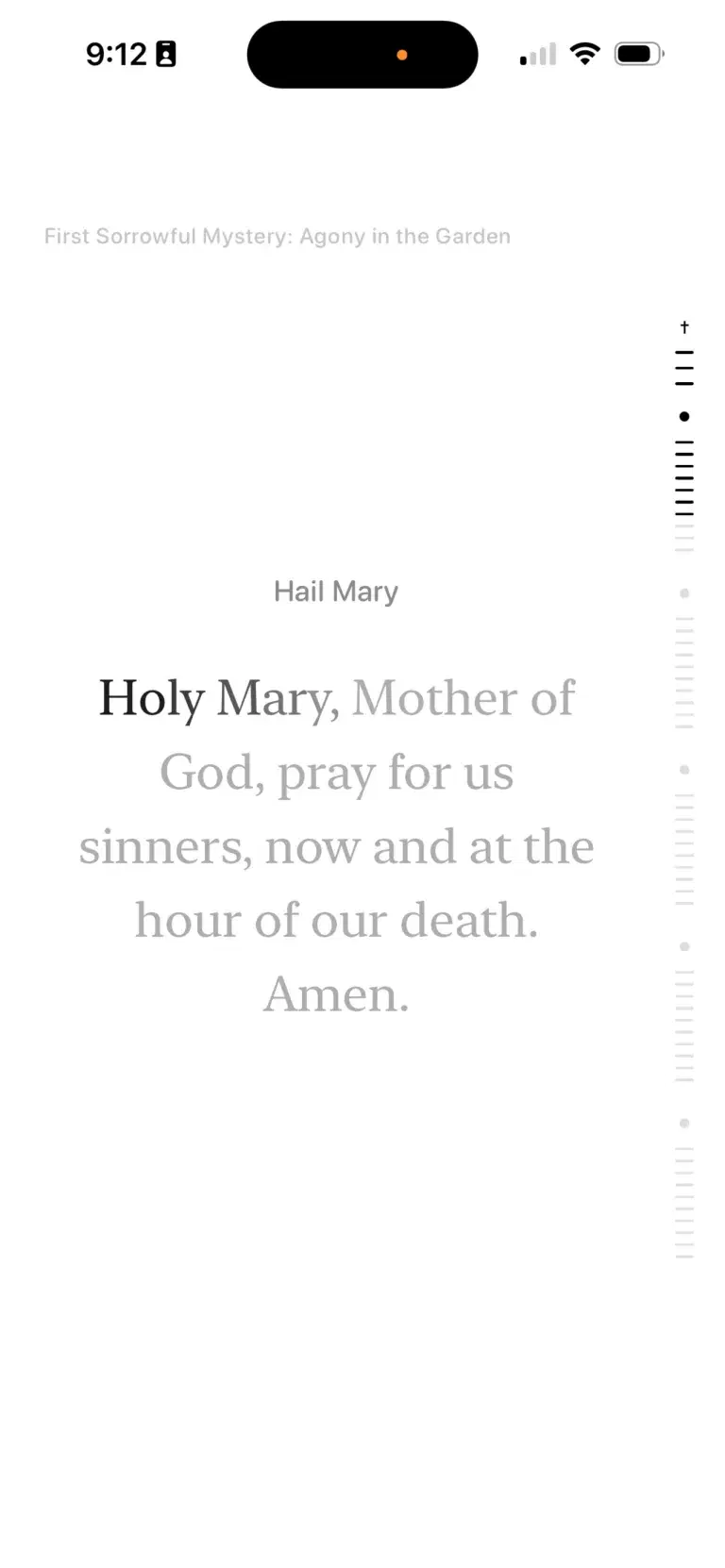
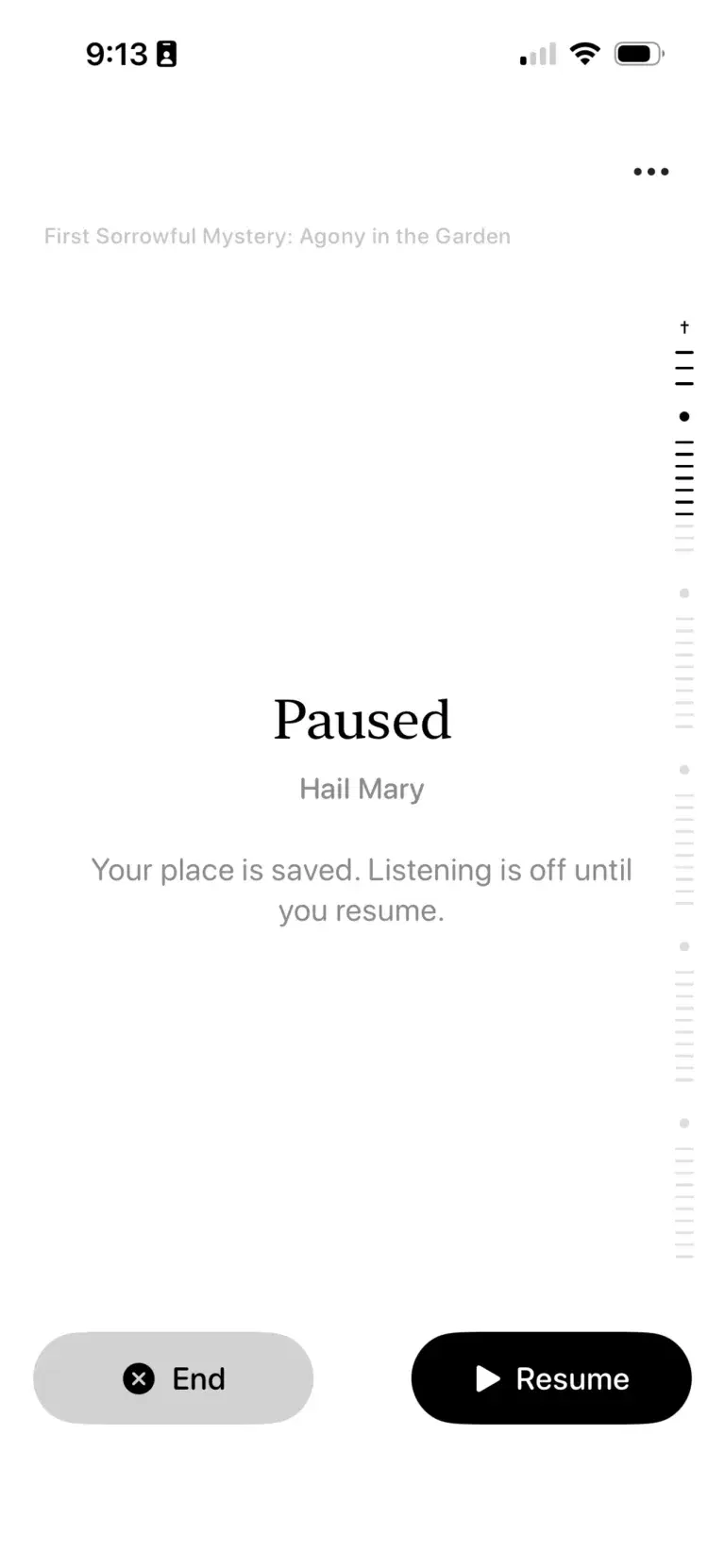
Following a prayer and picking up where I left off.
Latin Voice Mode
Using Apple's on-device speech recognition APIs for English was relatively simple, but I also wanted to support ecclesiastical Latin. As you might guess, Apple doesn't support ecclesiastical Latin speech recognition yet.
My first attempt was to shoehorn together a solution using Italian recognition as the foundation, with some custom rules on top. It would work some of the time, but it also had a habit of lagging, jumping ahead, or simply getting stuck. It wasn't reliable enough to trust.
I needed a different solution. I discovered that the open-source Whisper model supported Latin, so I added the Whisper base model as an optional download when Latin mode was turned on. It worked better, but still not quite well enough.
Fine-Tuning Whisper for the Rosary
At that point I started looking into fine-tuning. There aren't that many prayers in a Rosary, and the Whisper Tiny model is also relatively small. It seemed reasonable that I could collect recordings of people praying in Latin in different settings and with different accents, then train a small model specifically for the app.
After doing some research, it looked doable on my M5 Mac, so I started collecting data. This was easily the most time-consuming part. Training the model turned out to be the short part; getting useful, correctly labeled audio was the actual project.
Collecting the Recordings
I wanted people to be able to contribute anonymously. Requiring an account would add friction and attach an identity to recordings that don't need one. I didn't need anyone's name or email address. I just needed different voices praying the same set of prayers. At the same time, I didn't want to put an open microphone-upload form on the internet and spend the rest of my life reviewing spam.
I settled on an invite system. It gives me some control over who can upload without requiring contributors to authenticate or tell me who they are. I send someone a single-use code, and after finishing a session they can make a few single-use invitations of their own. This gave me a small friends-of-friends collection system without making the recording page public. The server stores hashes of the invitation and access tokens instead of the tokens themselves.
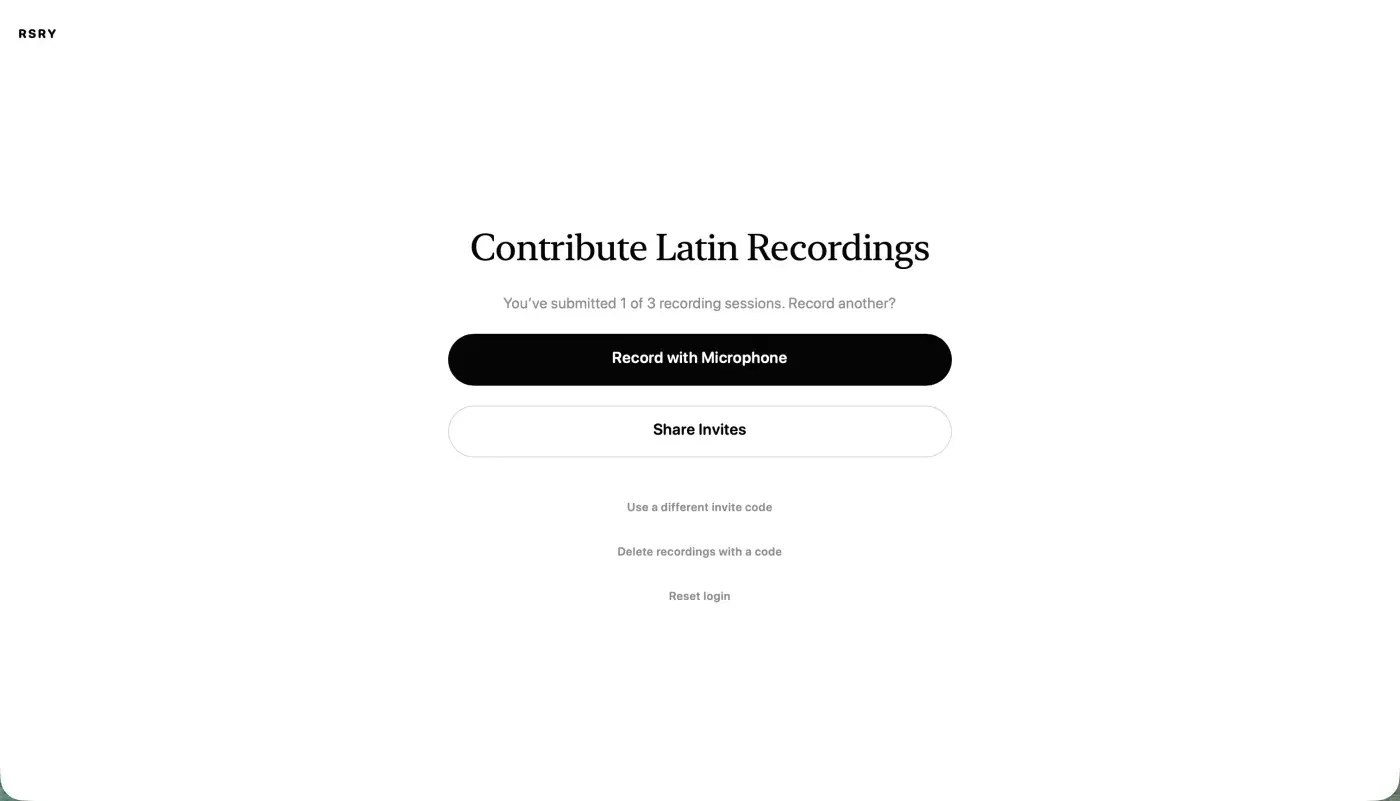
The contributor dashboard after a completed session.
Before recording, contributors accept the consent statement and confirm that they are adults using ecclesiastical pronunciation. They also get a withdrawal code they can use to delete their recordings later. The app walks them through each distinct prayer and lets them listen back or rerecord as needed. Repeated prayers like the Hail Mary only need to be recorded once per session.
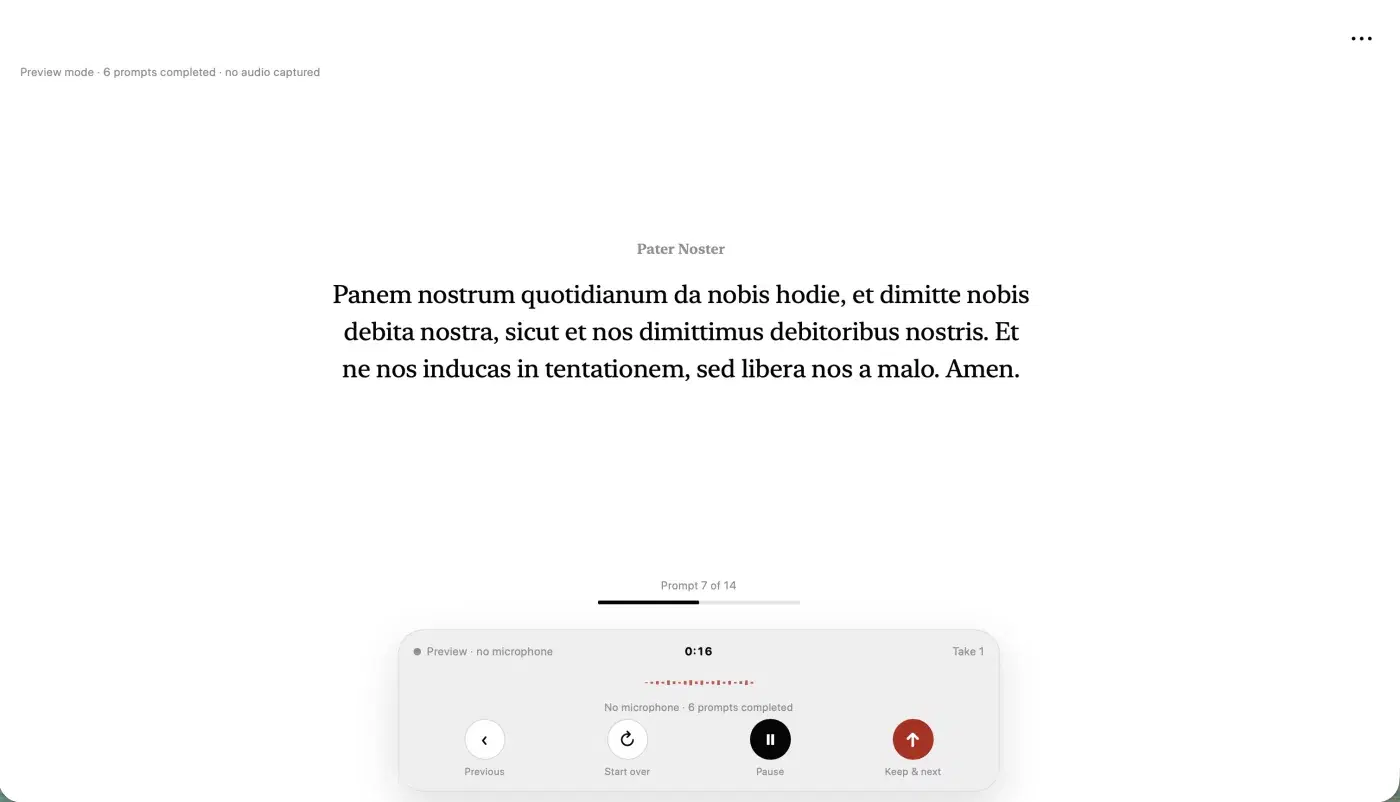
Recording one prayer at a time.
The recordings go into a private bucket. Each upload is tied to a versioned prompt and checksum, and the server makes sure the prompt still matches the canonical Latin text. The exact AWS plumbing isn't very interesting. The important part is that a recording can't end up with the wrong label on its way into the dataset.
Reviewing and Preparing the Audio
I built a separate review app in Go so I could listen to every recording alongside its canonical text, trim dead space, and approve or reject it. This part matters more than any clever training configuration. I approve a clip only when the speaker actually said the prompt; I don't change the transcript to match a misread, since that would teach the model that the wrong words were intended.
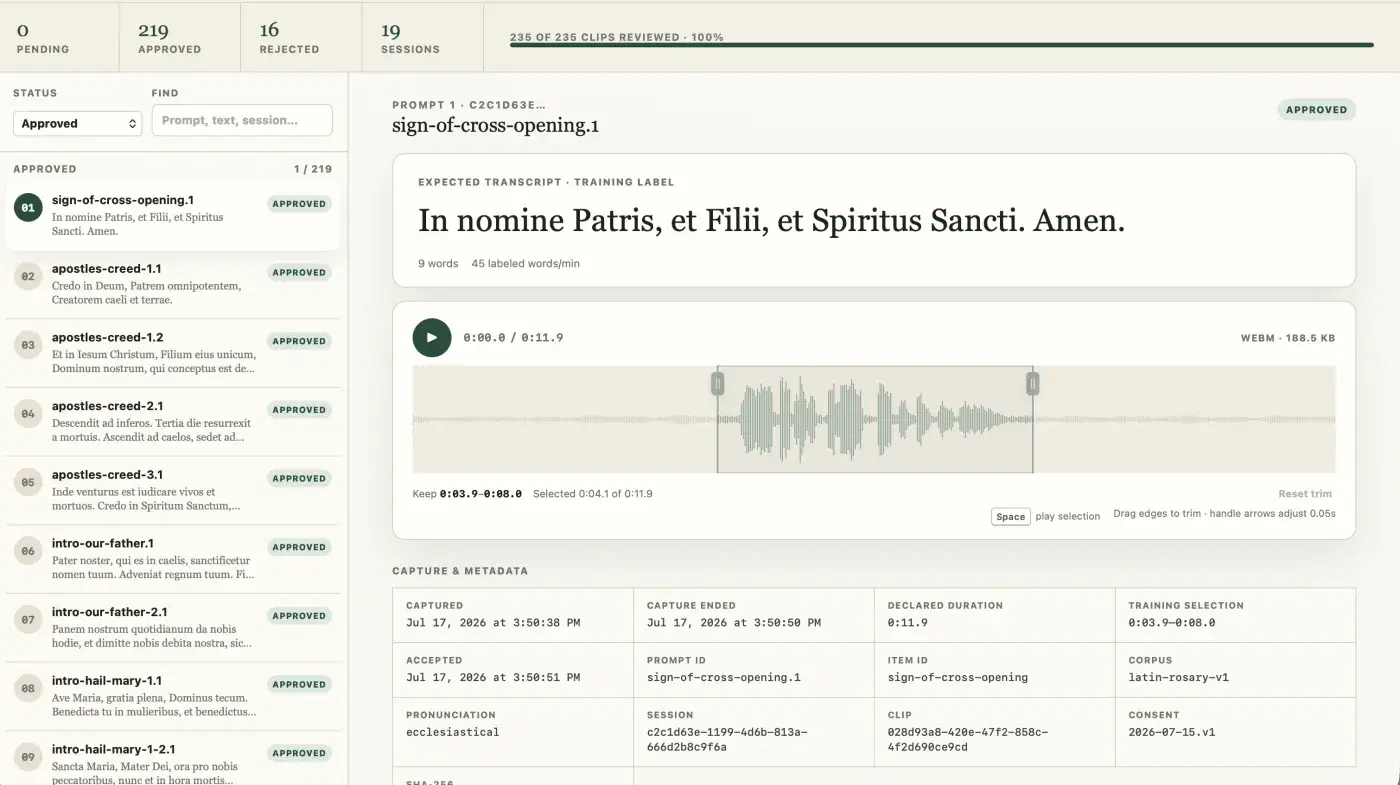
Reviewing and trimming a recording.
For the export, I verify the files, apply the non-destructive trims, and convert the approved recordings to mono, 16 kHz audio. I didn't denoise or synthetically augment this first dataset. The different microphones, rooms, speaking speeds, and occasional background sounds are useful variation, not something I wanted to scrub away.
For this run, I also kept only one recording of each prompt per contributor. That keeps my own repeated test sessions, or anyone else's, from quietly dominating the model.
I also split the data by contributor instead of by clip. If recordings from one person appeared in both training and test, the numbers would mostly tell me how well Whisper recognized a voice it already knew. The exporter puts each person entirely in training, validation, or test and looks for a split that preserves as much prompt coverage as possible in all three.
So far I've collected recordings from 20 people, but the first controlled training run used an earlier frozen set of 180 reviewed and deduplicated clips from 14 contributors:
| Split | Clips | Contributors |
|---|---|---|
| Training | 126 | 10 |
| Validation | 27 | 2 |
| Test | 27 | 2 |
The dataset and split stay frozen together. I don't let the evaluator load the test audio while I'm choosing the training configuration and checkpoint.
Training Configuration
I went with the multilingual openai/whisper-tiny checkpoint instead of continuing from my earlier Base experiment. Tiny is a better fit for something that has to run continuously on a phone, and the task is pretty narrow: ecclesiastical Latin and a fixed collection of known prayers. I can try Base again later, but I didn't want the extra download, memory, and battery cost without evidence that I needed it.
I trained in FP32 through Apple's MPS backend. I pinned the starting model and software versions so I can compare future runs without the tooling changing underneath me.
| Setting | Value |
|---|---|
| Starting model | Multilingual openai/whisper-tiny |
| Optimizer | AdamW, 1e-5 learning rate, 0.01 weight decay, 10% warmup |
| Batch size | 4, with 4 gradient-accumulation steps (effective batch of 16) |
| Training budget | 120 optimizer steps, or roughly 15 passes over the 126 training clips |
| Evaluation | Every 8 steps, with early stopping after 3 evaluations without improvement |
| Checkpoint selection | Lowest validation character error rate |
| Validation decoding | 5 beams with repeated phrases blocked |
I ran the same setup with three seeds: 20260716, 20260717, and 20260718. All three came out very close, between 2.51–2.58% character error and 9.40–9.59% word error on validation. I picked seed 20260718, whose best checkpoint was step 104, before letting the evaluator load the test split.
On the held-out test contributors, the results were:
| Model | Character error | Word error | Exact-match rate |
|---|---|---|---|
| Stock Whisper Tiny | 27.56% | 84.40% | 0% |
| Fine-tuned Tiny | 11.98% | 24.44% | 22.22% |
| Fine-tuned Tiny after Core ML conversion | 19.72% | 30.08% | 25.93% |
Those scores ignore punctuation and capitalization. The difference in the Core ML result was a good reminder that converting a model isn't just packaging it. The on-device version has to be tested on its own.
Getting the Model onto the iPhone
I converted the checkpoint to Core ML with WhisperKit. The model is about 81 MB and ships with the app. It listens in short rolling windows without seeing the rest of the prayer, since giving Whisper the full prayer as a hint made it predict words before they were spoken.
That works because RSRY isn't trying to transcribe arbitrary Latin. It already knows the prayer and only has to keep its place. Exact words advance immediately, phonetic matches catch mangled Whisper spellings, and fuzzy matches are limited to three tokens. It also won't finish a prayer until the voice-activity detector says the person has stopped speaking. Together, those limits keep a hallucination from jumping ahead.
Because of that, word error rate only tells part of the story. I care more about whether progress lags, jumps ahead, stalls, moves during silence, or crosses a prayer boundary. I check that by replaying the frozen clips through the converted model and tracker, then testing it on a physical iPhone.
It works great for me right now, although that isn't too surprising since my voice is probably overrepresented in the training data. I'm aiming for recordings from about 100 people in a wider range of environments. Once I have them, I'll freeze a new corpus, start again from stock Tiny, and rerun the same experiment to see whether Latin mode is ready to leave beta.